smtp status check

The SMTP status check verifies the availability, security, and functionality of your mail server.
It ensures the server accepts TCP connections, authenticates properly, and processes emails.
The check is configured to run at regular intervals, every ten minutes.
The user can change the predefined interval himself.
The “smtp status check” flow for the emailcomposer app
verifies that the SMTP service is working properly by sending real messages;
only in case of malfunction, the system sends an alert email:
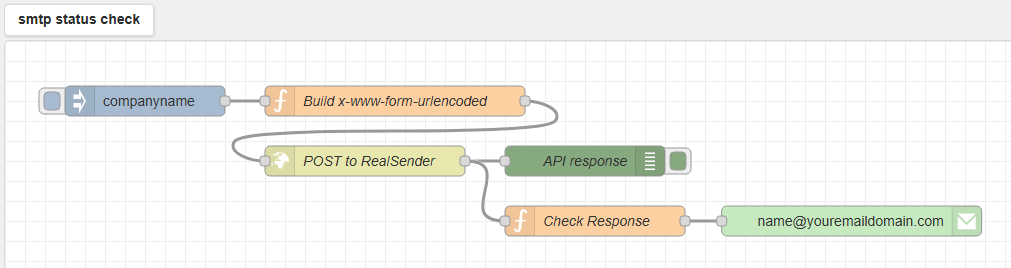
Simply duplicate the flow, edit the first and last node, and you will have
multiple alerts, for different smtp servers, sent to the desired recipients.
The user and password are set at system level as “environmen variables”, the user cannot read them.
The button to the left of the first “companyname” node allows you to manually force execution
and see the result in the debug area, on the right side of the screen:
